How to Create and Manage a New Email Account in Site Tools – Video Guide
With every SiteGround hosting plan, you can have an unlimited number of free email accounts at your domain name. To create them, go to your Client Area > Websites. Choose the website for which you would like to create an email account, and click on Site Tools > Email > Accounts.
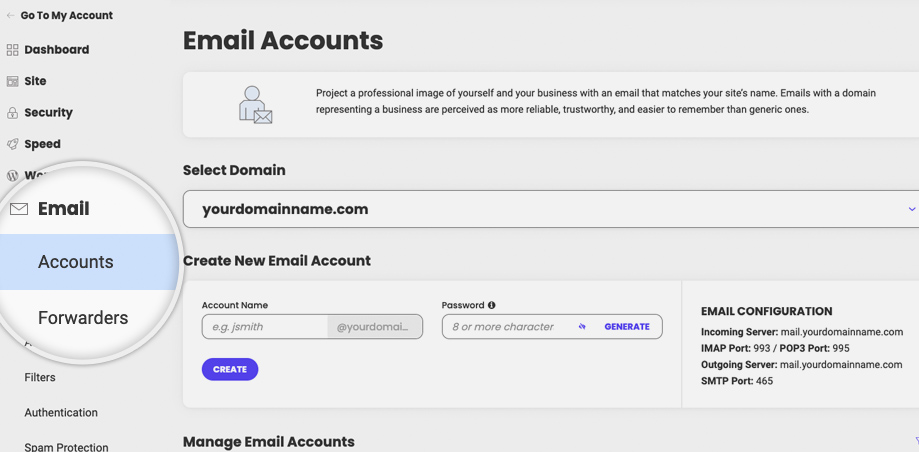
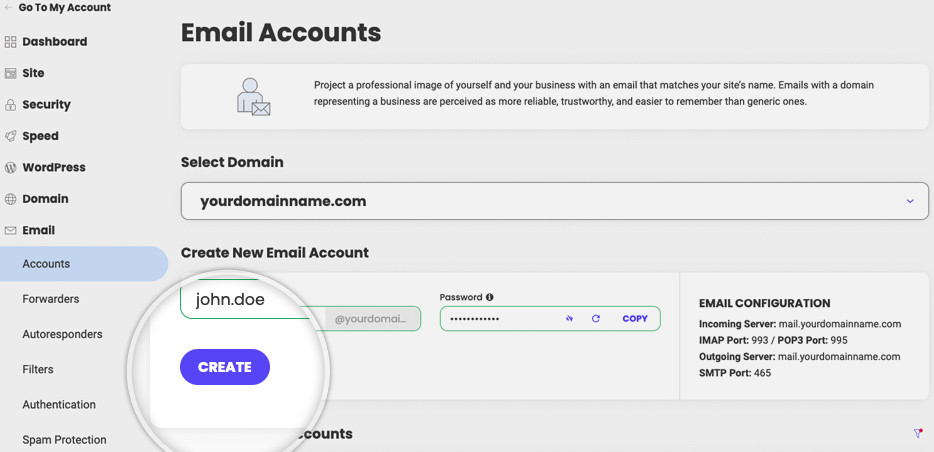
To create your new email account, type the new email address before the “@” and a strong password. When you’re ready filling in the information, click Create and you will have your new email ready in a few seconds.
Manage Email Accounts
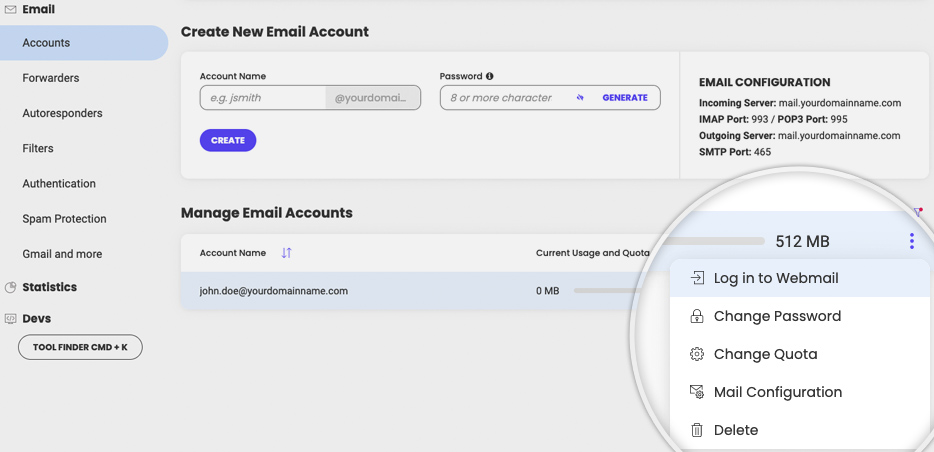
For each email account you create, you can manage its settings from the Manage Email Accounts section below. Note that you can set different values for your email quota from the Actions menu (next to the corresponding email account) > Change Quota but without exceeding the current limits which are set to 10 000 MB per email account.
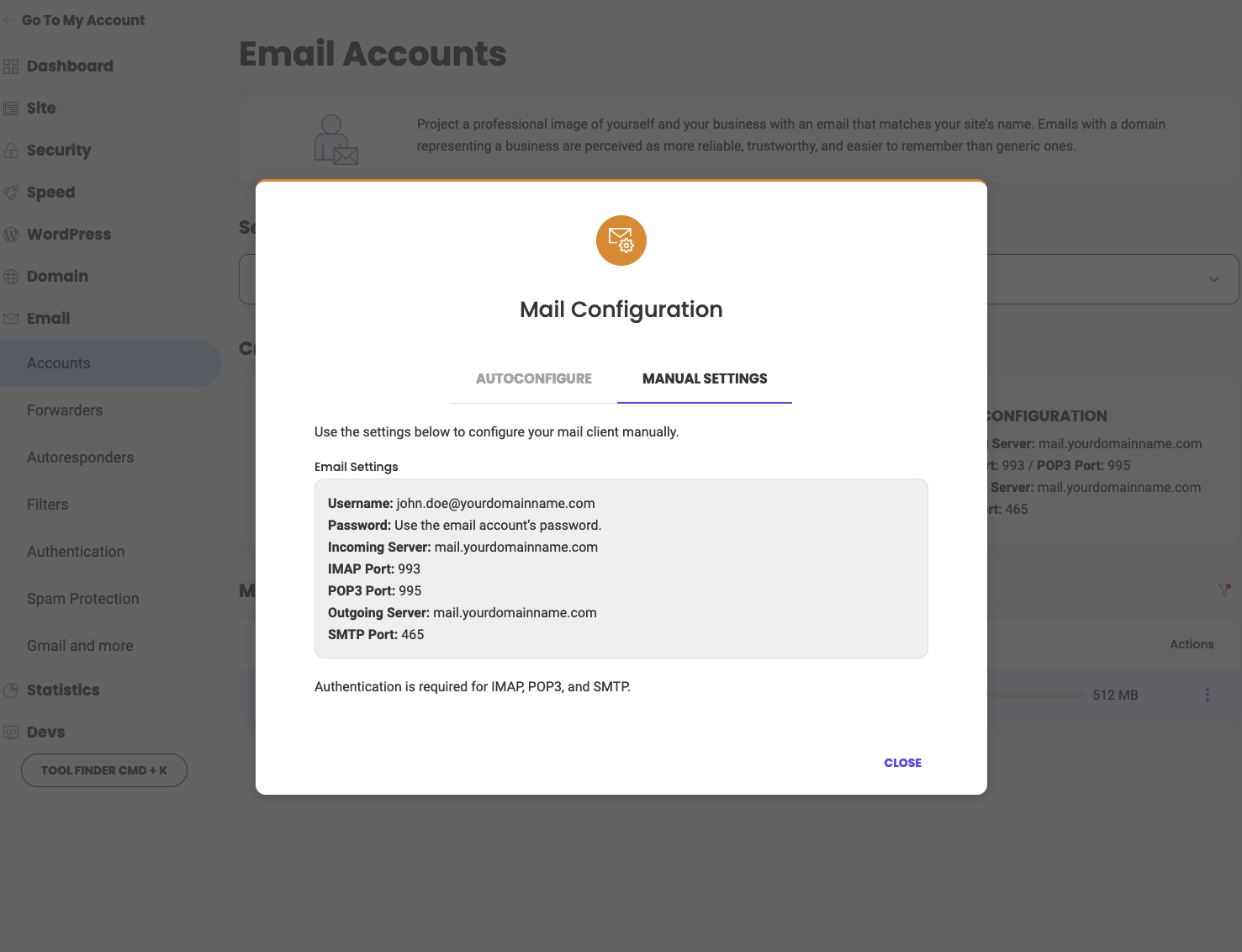
You can also configure your email automatically or manually. Go to the Actions menu (next to the corresponding email account) and select Mail Configuration. A pop-up will appear where you can choose the mail client you want to configure. When ready, click Create and follow the instructions in your email client.
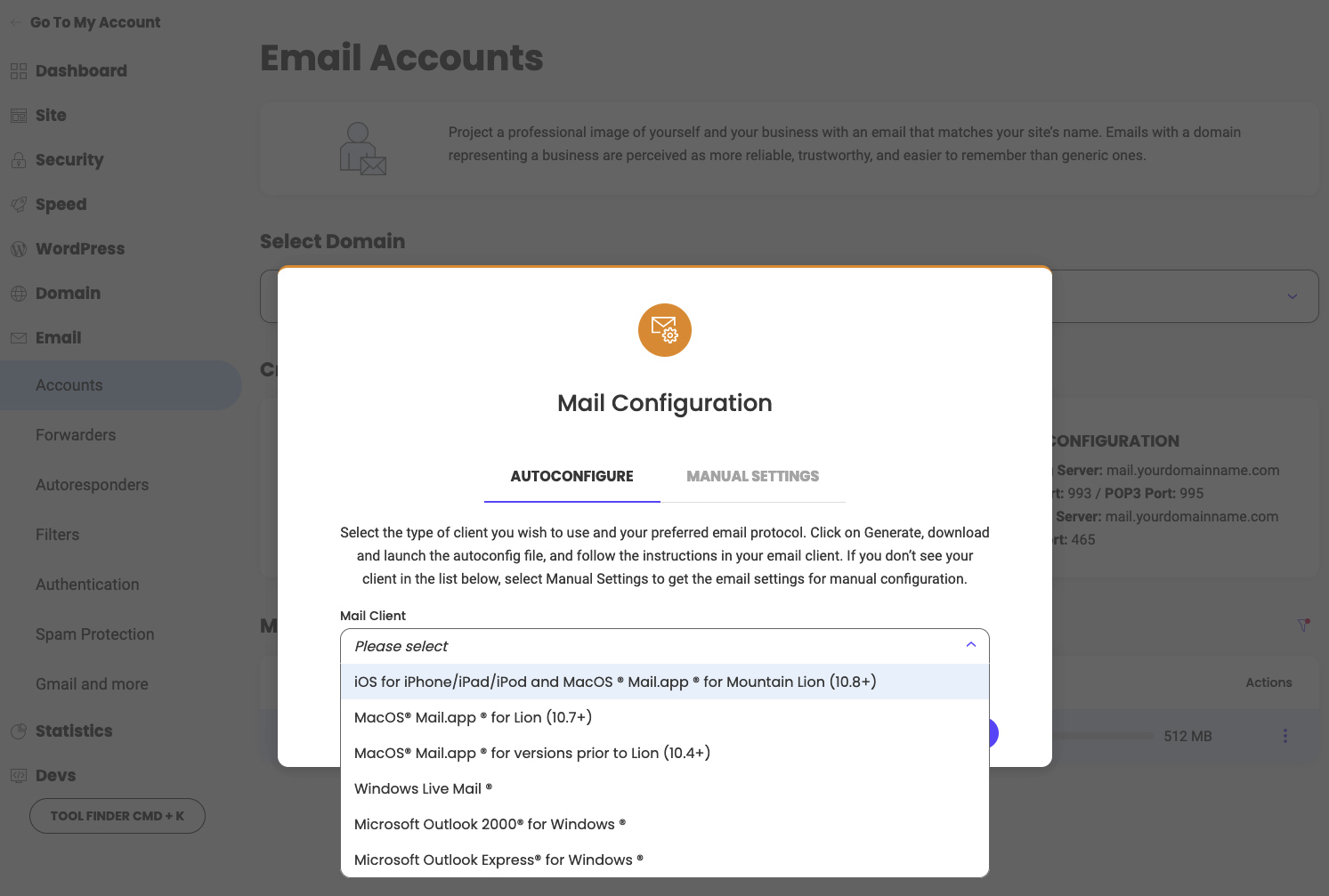
If you choose manual configuration our system will display the email server data that you need to use in order to make the configuration yourself.
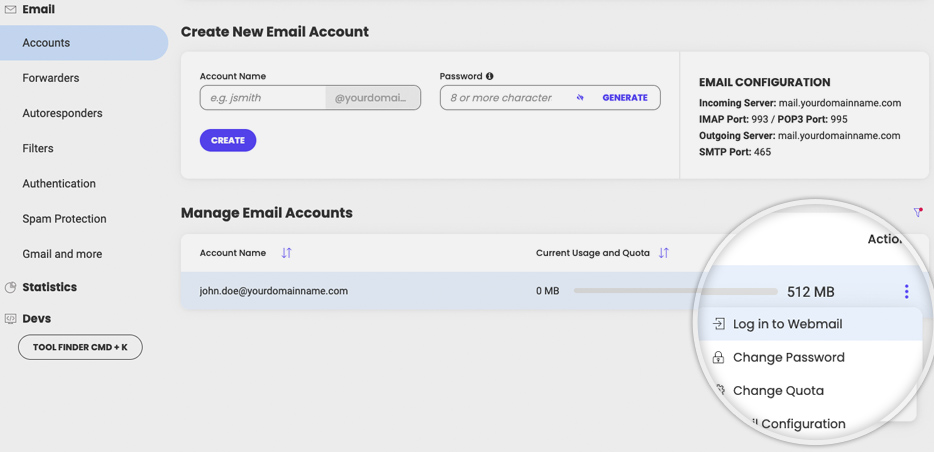
You also have easy webmail access from this section. Go to the Manage Email Accounts section, click on the Actions menu for the corresponding email account > Log in to Webmail.
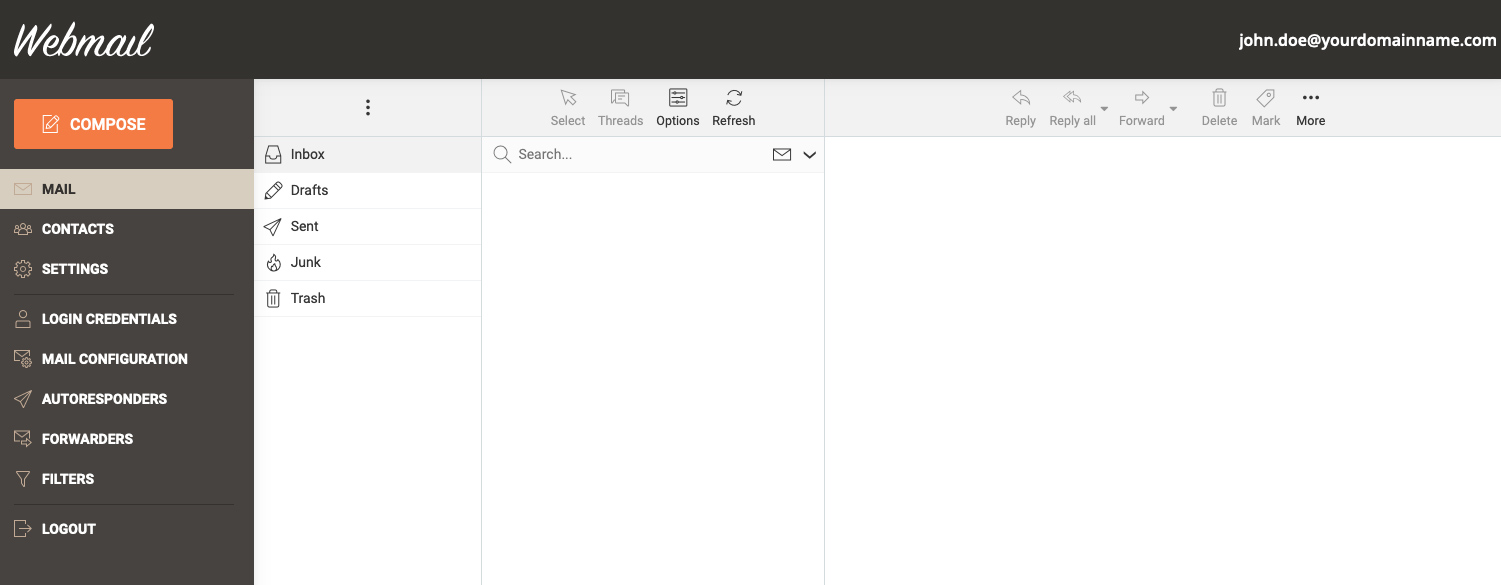
The system will automatically log you in our custom webmail interface, which provides all essential features you need from a webmail client.
Was this article helpful?
That’s Great!
Thank you for your feedback
Sorry! We couldn't be helpful
Thank you for your feedback
Feedback sent
We appreciate your effort and will try to fix the article