Google Account
You will need to create a Google Account for your brand. We will use this environment to make provisions in the Google Cloud Developer Console for your technical infrastructure throughout the development phase of your project.
Ensure MFA Authentication is turned-off so our team can access these components.
When you create a Google Account, we ask for some personal info. By providing accurate info, you can help keep your account secure and make our services more useful.
Follow the following steps:
- Go to the Google Account sign in page.
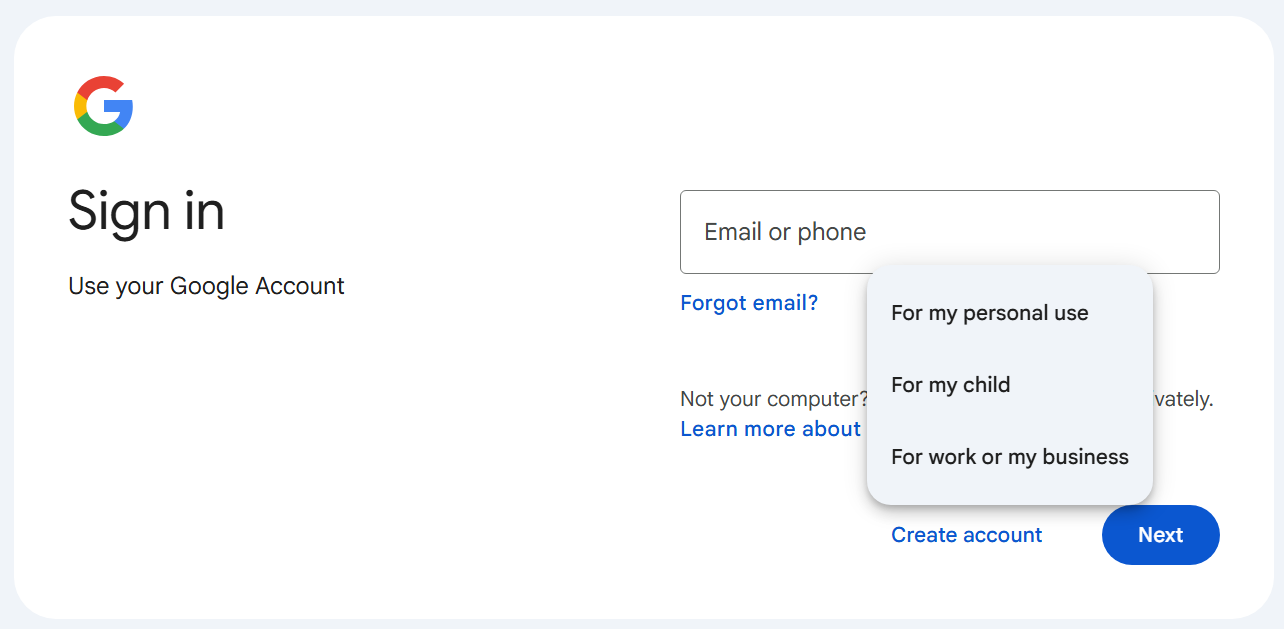
- Click Create account.
- From the drop down, select this account is for:
- Personal use
- From the drop down, select this account is for:
- Google will suggest Gmail addresses for you. We suggest creating your own Gmail address by entering your business name as your “username” without spaces. Google will let you know if the name is not available.
- You’ll be asked to add your birthday and gender.
- In the "Username" field, enter a username.
- Enter and confirm your project password.
- Tip: When you enter your password on mobile, the first letter isn't case sensitive.
- Click Next.
- Recommended: Add and verify a phone number for your account.
- Click Next.
Is a Gmail account the same as a Google Account?
Your Gmail and Google Accounts are separate. A Gmail account is one of several Google services you can use and save data with if you have a Google Account. Other services you can use with your Google Account include:
- YouTube
- Google Drive
- Calendar
- Google Play
Use an existing email address
You don't need to have a Gmail address to create a Google Account. You can also use a non-Gmail email address to create one instead.
If you already use Google Workspace for your business or already have a Google account associated with your company, following the instructions for delegating access to our development team instead of creating a new account.
Was this article helpful?
That’s Great!
Thank you for your feedback
Sorry! We couldn't be helpful
Thank you for your feedback
Feedback sent
We appreciate your effort and will try to fix the article